AWS DevOps Infrastructure Code: The 9 Key Steps to Go from Zero to Operational
AWS DevOps Infrastructure Code: the essentials in one article — real code, diagrams and concrete steps, excerpts from a 39-lesson course.
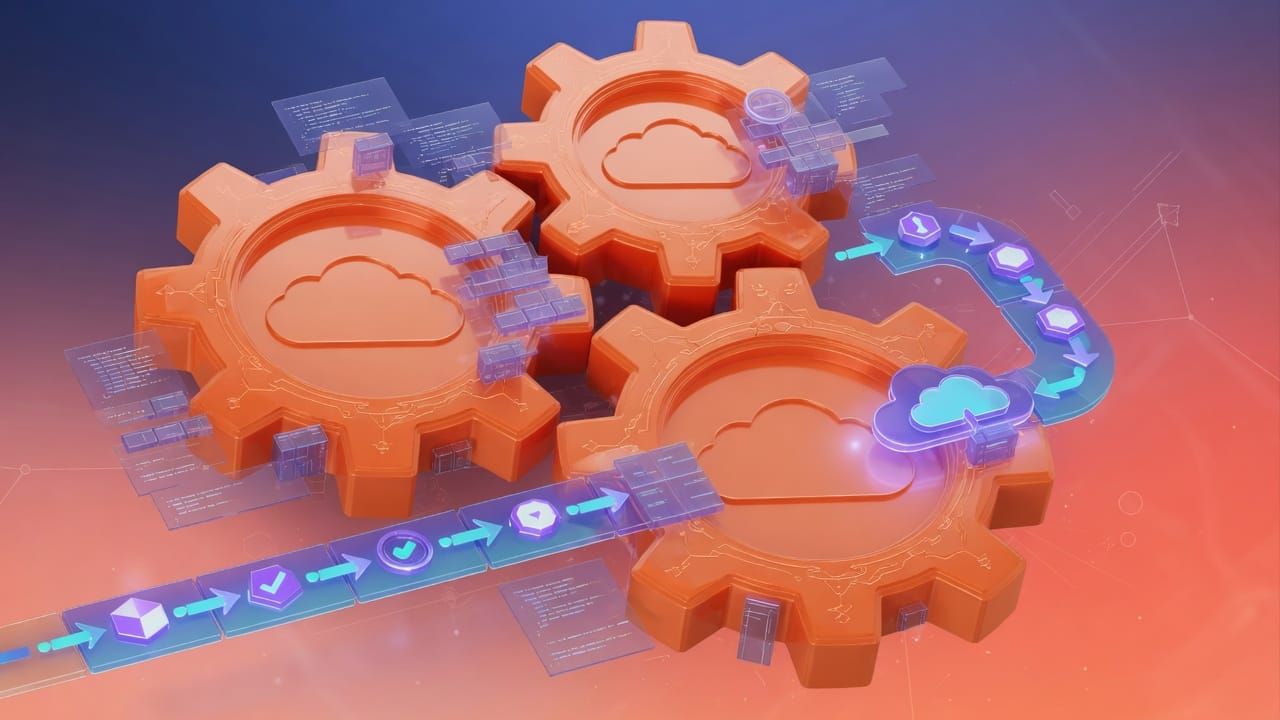
Everyone can learn AWS DevOps Infrastructure Code — provided they follow the steps in the right order. We have condensed a complete 39-lesson course into a clear path, with the most useful code snippets.
- Introduction and AWS Configuration
- DevOps and Infrastructure as Code
- AWS CloudFormation
- AWS CDK Cloud Development Kit
- CICD with AWS CodePipeline
Introduction to AWS CDK — Cloud Development Kit
Chapter 03 — Lesson 01 · AWS DevOps : Infrastructure as Code
1. What is AWS CDK?
CloudFormation is like filling out a CERFA administrative form by hand, box by box, while strictly following syntax rules. It is tedious but it works. CDK is having a computer program fill out that form for you: you tell it in Python "I want a medium-sized server with a database", and it automatically generates the complete, correctly filled CERFA form with all the mandatory boxes. You write far less, you achieve far more, and you benefit from the full power of a real programming language such as loops, functions and code reuse.
The AWS Cloud Development Kit (CDK) is an open-source framework that lets you define your AWS infrastructure using a real programming language: Python, TypeScript, Java, C# or Go. CDK then automatically generates CloudFormation templates from your code.
CDK vs CloudFormation — comparison
| Criterion | CloudFormation (YAML) | AWS CDK (Python) |
|---|---|---|
| Language | Declarative YAML / JSON | Python, TypeScript, Java, C#, Go |
| Reusability | Copy-paste, Nested Stacks | Classes, modules, inheritance |
| IDE autocompletion | Limited (YAML) | Full with types and documentation |
| Logic | Limited conditions and mappings | Full if/else, for loops, functions |
| Tests | Difficult | Unit tests with pytest, jest |
| Learning curve | Low for YAML, but verbose | Requires knowledge of a programming language |
| Under the hood | Executed directly by CloudFormation | Generates CloudFormation then deploys it |
The four core CDK concepts
App (CDK Application)
The entry point of any CDK project. An App contains one or more Stacks. It is the root container of your infrastructure.
Stack (CDK Stack)
Corresponds to a CloudFormation stack. Contains Constructs (AWS resources). An App can have multiple Stacks for different environments.
Construct
The basic building block of CDK. Represents an AWS resource (or group of resources). Exists at three levels: L1, L2, L3.
Environment (Env)
The combination of target AWS account + region for deployment. Allows deploying the same stack across multiple environments.
2. Installation — Node.js, CDK CLI and Python
The CDK CLI is a Node.js tool. Even if you code in Python, you must have Node.js installed.
Prerequisites
# 1. Check Node.js (version 18+ recommended)
node --version
# Bootstrap in the current region
cdk bootstrap

# Bootstrap in a specific region
cdk bootstrap aws://123456789012/eu-west-1
Constructs are the basic building blocks of CDK. They exist at three levels of abstraction, each offering a different trade-off between control and simplicity.
L1 — Low-level Constructs (CfnXxx)
L1 constructs (prefixed Cfn) are direct wrappers around CloudFormation resources. They give access to all properties but without any default values — you must configure everything explicitly.
from aws_cdk import aws_s3 as s3
import aws_cdk as cdk

class MaStack(cdk.Stack):
    def __init__(self, scope, id, **kwargs):
        super().__init__(scope, id, **kwargs)

        # L1 : CfnBucket = direct CloudFormation wrapper AWS::S3::Bucket
        bucket_l1 = s3.CfnBucket(self, "BucketL1",
            bucket_name="mon-bucket-l1",
            versioning_configuration=s3.CfnBucket.VersioningConfigurationProperty(
                status="Enabled"
            ),
            lifecycle_configuration=s3.CfnBucket.LifecycleConfigurationProperty(
                rules=[s3.CfnBucket.RuleProperty(
                    id="expiration-anciens-objets",
                    status="Enabled",
                    expiration_in_days=90
                )]
            )
        )
L2 — High-level Constructs (recommended)
Nested Stacks, StackSets, Change Sets and Best Practices
Chapter 02 — Lesson 03 · AWS DevOps : Infrastructure as Code
1. Nested Stacks — breaking down large infrastructures
Imagine building an office tower. Instead of a single contractor doing everything from A to Z and quickly becoming overwhelmed, specialists are brought in: an electrician for the entire electrical network, a plumber for the plumbing, a carpenter for the partitions, a network technician for IT. Each works in their domain, produces their work report, and a site manager coordinates everything. Nested Stacks work the same way: each module (network, security, database, application) is an independent template managed by a different team, and a parent stack coordinates everyone.
When infrastructure becomes complex (VPC, databases, applications, security...), grouping everything into a single template becomes unmanageable. Nested Stacks allow you to split the infrastructure into reusable modules, each in its own template.
Layered architecture with Nested Stacks
infrastructure/
├── stack-parent.yaml         # Root stack — orchestrates everything
├── modules/
│   ├── reseau.yaml           # VPC, subnets, Internet Gateway
│   ├── securite.yaml         # Security Groups, IAM Roles
│   ├── base-de-donnees.yaml  # RDS, ElastiCache cache
│   └── application.yaml      # EC2, Load Balancer, Auto Scaling
The parent stack that references the modules
AWSTemplateFormatVersion: "2010-09-09"
Description: "Stack parent — orchestrates toute l'infrastructure"

Parameters:
  Environnement:
    Type: String
    AllowedValues: [dev, prod]
  URLTemplates:
    Type: String
    Description: "Base S3 URL where the templates are stored"
    Default: "https://s3.amazonaws.com/mon-bucket-templates/v1"

Resources:
  # Network module
  StackReseau:
    Type: AWS::CloudFormation::Stack
    Properties:
      TemplateURL: !Sub "${URLTemplates}/reseau.yaml"
      Parameters:
        Environnement: !Ref Environnement
        CIDRVpc: "10.0.0.0/16"
      TimeoutInMinutes: 15

  # Security module — depends on network
  StackSecurite:
    Type: AWS::CloudFormation::Stack
    DependsOn: StackReseau
    Properties:
      TemplateURL: !Sub "${URLTemplates}/securite.yaml"
      Parameters:
        Environnement: !Ref Environnement
        VpcId: !GetAtt StackReseau.Outputs.VpcId

  # Database module
  StackBDD:
    Type: AWS::CloudFormation::Stack
    DependsOn: StackSecurite
    Properties:
      TemplateURL: !Sub "${URLTemplates}/base-de-donnees.yaml"
      Parameters:
        Environnement: !Ref Environnement
        VpcId: !GetAtt StackReseau.Outputs.VpcId
        SubnetIds: !GetAtt StackReseau.Outputs.SubnetsPrives
        SGBaseDeDonnees: !GetAtt StackSecurite.Outputs.SGBaseDeDonnees
      TimeoutInMinutes: 30

  # Application module
  StackApplication:
    Type: AWS::CloudFormation::Stack
    DependsOn: StackBDD
    Properties:
      TemplateURL: !Sub "${URLTemplates}/application.yaml"
      Parameters:
        Environnement: !Ref Environnement
        VpcId: !GetAtt StackReseau.Outputs.VpcId
        SubnetPublics: !GetAtt StackReseau.Outputs.SubnetsPublics
        URLBDD: !GetAtt StackBDD.Outputs.EndpointBDD
        SGApplication: !GetAtt StackSecurite.Outputs.SGApplication

Outputs:
  URLApplication:
    Description: "URL of the application Load Balancer"
    Value: !GetAtt StackApplication.Outputs.URLLoadBalancer
Example of the reseau.yaml module template
AWSTemplateFormatVersion: "2010-09-09"
Description: "Network module — VPC, public and private subnets"

Parameters:
  Environnement:
    Type: String
  CIDRVpc:
    Type: String

Resources:
  VPC:
    Type: AWS::EC2::VPC
    Properties:
      CidrBlock: !Ref CIDRVpc
      EnableDnsHostnames: true
      EnableDnsSupport: true
      Tags:
        - Key: Name
          Value: !Sub "vpc-${Environnement}"

  SubnetPublic1:
    Type: AWS::EC2::Subnet
    Properties:
      VpcId: !Ref VPC
      CidrBlock: "10.0.1.0/24"
      AvailabilityZone: !Select [0, !GetAZs ""]
      MapPublicIpOnLaunch: true

  SubnetPrive1:
    Type: AWS::EC2::Subnet
    Properties:
      VpcId: !Ref VPC
      CidrBlock: "10.0.10.0/24"
      AvailabilityZone: !Select [0, !GetAZs ""]

Outputs:
  VpcId:
    Value: !Ref VPC
    Export:
      Name: !Sub "${AWS::StackName}-VpcId"
  SubnetsPublics:
    Value: !Join [",", [!Ref SubnetPublic1]]
    Export:
      Name: !Sub "${AWS::StackName}-SubnetsPublics"
  SubnetsPrives:
    Value: !Join [",", [!Ref SubnetPrive1]]
    Export:
      Name: !Sub "${AWS::StackName}-SubnetsPrives"
Deploy using templates stored in S3
# Upload the templates to S3 first
aws s3 sync ./modules/ s3://mon-bucket-templates/v1/ --exclude "*.md"

# Deploy the parent stack
aws cloudformation deploy \
  --stack-name infra-prod \
  --template-file stack-parent.yaml \
  --parameter-overrides \
    Environnement=prod \
    URLTemplates=https://s3.amazonaws.com/mon-bucket-templates/v1 \
--capabilities CAPABILITY_IAM CAPABILITY_NAMED_IAM2. StackSets — deploy across multiple accounts and regions
Imagine a restaurant chain opening branches worldwide. The CEO creates a standard menu recipe, a graphic charter, and operating procedures that apply in every restaurant, whether in Paris, New York or Tokyo. When a new rule is added (new allergy to display, new health regulation), it is applied simultaneously across the entire chain with a single central decision. StackSets work the same way: you define your infrastructure once and deploy it to all your AWS accounts and all your regions in a single operation.
StackSets let you deploy the same CloudFormation template across multiple AWS accounts and/or multiple regions in a single operation. It is the ideal tool for multi-account organizations (Landing Zone, Control Tower).
Typical use cases
Centralized governance
Deploy AWS Config rules, CloudTrail, GuardDuty across all organization accounts automatically.
Uniform compliance
Apply the same IAM policies, baseline security groups and alert notifications in every account.
Multi-region
Deploy identical infrastructure in us-east-1, eu-west-1 and ap-southeast-1 for global redundancy.
Prerequisite: configure permissions
# Two operating modes:

# Mode 1 : Self-Managed (manual IAM roles in each account)
# Create AWSCloudFormationStackSetAdministrationRole in the admin account
# Create AWSCloudFormationStackSetExecutionRole in each target account

# Mode 2 : Service-Managed (via AWS Organizations — recommended)
# Enable trust with Organizations in CloudFormation
aws organizations enable-aws-service-access \
  --service-principal cloudformation.amazonaws.com
Create and deploy a StackSet
Deploy and manage applications on EKS
Chapter 08 — Kubernetes on AWS EKS | AWS DevOps Infrastructure as Code
1. Deploy an application — Deployment YAML
A Kubernetes Deployment is like a fast-food chain. You define how many "counters" (replicas) you want open at the same time. If one fails, Kubernetes automatically opens a new one without customers noticing. When you want to change the menu (new image version), Kubernetes updates the counters one by one (rolling update) so that not all counters are ever closed at once. If the new menu is unpopular, you can instantly revert to the previous menu (rollback).
A Kubernetes Deployment declares the desired state of your application: which image to use, how many replicas, how to perform updates. Kubernetes continuously maintains that state.
Complete Deployment with all best practices
apiVersion: apps/v1
kind: Deployment
metadata:
  name: mon-api-fastapi
  namespace: mon-application
  labels:
    app: mon-api-fastapi
    version: "1.0.0"
    equipe: backend
spec:
  replicas: 3
  selector:
    matchLabels:
      app: mon-api-fastapi
  # Rolling update deployment strategy
  strategy:
    type: RollingUpdate
    rollingUpdate:
      maxUnavailable: 1      # At most 1 Pod unavailable during the update
      maxSurge: 1            # At most 1 Pod in surplus during the update
  template:
    metadata:
      labels:
        app: mon-api-fastapi
        version: "1.0.0"
    spec:
      serviceAccountName: sa-mon-api  # IRSA — IAM Role for Service Account
      terminationGracePeriodSeconds: 30
      # Pod-level security
      securityContext:
        runAsNonRoot: true
        runAsUser: 1000
        fsGroup: 1000
      containers:
        - name: mon-api-fastapi
          image: 123456789012.dkr.ecr.ca-central-1.amazonaws.com/mon-api-fastapi:1.0.0
          ports:
            - containerPort: 8080
              protocol: TCP
          # Mandatory resource limits in production
          resources:
            requests:
              cpu: "250m"        # 0.25 vCPU guaranteed
              memory: "256Mi"    # 256 MiB guaranteed
            limits:
              cpu: "500m"        # Maximum 0.5 vCPU
              memory: "512Mi"    # Maximum 512 MiB
          # Environment variables from ConfigMap and Secret
          env:
            - name: ENVIRONNEMENT
              value: production
            - name: PORT
              value: "8080"
          envFrom:
            - configMapRef:
                name: config-mon-api
            - secretRef:
                name: secrets-mon-api
          # Health probes
          livenessProbe:
            httpGet:
              path: /health
              port: 8080
            initialDelaySeconds: 15
            periodSeconds: 20
            failureThreshold: 3
          readinessProbe:
            httpGet:
              path: /health
              port: 8080
            initialDelaySeconds: 5
            periodSeconds: 10
            successThreshold: 1
          startupProbe:
            httpGet:
              path: /health
              port: 8080
            failureThreshold: 30
            periodSeconds: 5
          # Container security
          securityContext:
            allowPrivilegeEscalation: false
            readOnlyRootFilesystem: true
            capabilities:
              drop:
                - ALL
      # Distribution across availability zones
      topologySpreadConstraints:
        - maxSkew: 1
          topologyKey: topology.kubernetes.io/zone
          whenUnsatisfiable: DoNotSchedule
          labelSelector:
            matchLabels:
              app: mon-api-fastapi
Essential deployment commands
# Apply the manifest
kubectl apply -f deployment.yaml -n mon-application

# Follow the deployment in real time
kubectl rollout status deployment/mon-api-fastapi -n mon-application

# View deployment history
kubectl rollout history deployment/mon-api-fastapi -n mon-application

# Update the image (triggers a rolling update)
kubectl set image deployment/mon-api-fastapi \
  mon-api-fastapi=123456789012.dkr.ecr.ca-central-1.amazonaws.com/mon-api-fastapi:1.1.0 \
  -n mon-application

# Revert to the previous version (rollback)
kubectl rollout undo deployment/mon-api-fastapi -n mon-application

# Revert to a specific revision
kubectl rollout undo deployment/mon-api-fastapi --to-revision=2 -n mon-application
2. Kubernetes Services: ClusterIP, NodePort, LoadBalancer
In Kubernetes, Services are like stable postal addresses in a building whose tenants change frequently. ClusterIP is an internal office inside the building: no one from outside can access it; it is for employee-to-employee communication. LoadBalancer is the main entrance of the building with a security guard (the AWS Load Balancer) who directs external visitors to the right available office. Even if the tenants change (Pods restart), the building address remains the same.
A Service exposes a set of Pods via a stable IP and internal DNS name, regardless of the lifecycle of individual Pods.
| Type | Accessibility | Use case |
|---|---|---|
| ClusterIP | Only inside the cluster | Inter-service communication (database, cache) |
| NodePort | From outside via the Node IP + a fixed port (30000-32767) | Testing, development (not recommended in production) |
| LoadBalancer | From outside via an AWS Load Balancer (CLB/NLB) automatically provisioned | Expose a service directly (without Ingress) |
| ExternalName | Resolves to an external DNS name | Access RDS, ElastiCache services via an internal name |
---
# ClusterIP Service — for internal communication
apiVersion: v1
kind: Service
metadata:
  name: svc-mon-api
  namespace: mon-application
  labels:
    app: mon-api-fastapi
spec:
  type: ClusterIP
  selector:
    app: mon-api-fastapi      # Matches the Deployment labels
  ports:
    - name: http
      port: 80                # Service port (internal)
      targetPort: 8080        # Container port
      protocol: TCP

---
# LoadBalancer Service — expose via an AWS NLB
apiVersion: v1
kind: Service
metadata:
  name: svc-mon-api-public
  namespace: mon-application
  annotations:
    service.beta.kubernetes.io/aws-load-balancer-type: "external"
    service.beta.kubernetes.io/aws-load-balancer-nlb-target-type: "ip"
    service.beta.kubernetes.io/aws-load-balancer-scheme: "internet-facing"
spec:
  type: LoadBalancer
  selector:
    app: mon-api-fastapi
  ports:
    - name: http
      port: 80
      targetPort: 8080
3. Kubernetes ConfigMaps and Secrets
ConfigMap — non-sensitive configuration
apiVersion: v1
kind: ConfigMap
metadata:
  name: config-mon-api
  namespace: mon-application
data:
  # Environment variables
  LOG_LEVEL: "info"
  WORKERS: "4"
  TIMEOUT: "30"
  DATABASE_HOST: "rds-mon-app.ca-central-1.rds.amazonaws.com"
  DATABASE_NAME: "production"
  # Complete configuration file
  application.yaml: |
    server:
      host: 0.0.0.0
      port: 8080
    database:
      pool_size: 10
      max_overflow: 5
    cache:
      backend: redis
      ttl: 300
Kubernetes Secret
apiVersion: v1
kind: Secret
metadata:
  name: secrets-mon-api
  namespace: mon-application
type: Opaque
stringData:
  # stringData accepts clear-text values — K8s automatically base64-encodes them
  DATABASE_PASSWORD: "MonMotDePasseSecret"
  API_KEY: "sk-abc123..."
  JWT_SECRET: "ma-cle-jwt-super-secrete"
External Secrets Operator — synchronize from Secrets Manager
apiVersion: external-secrets.io/v1beta1
kind: ExternalSecret
metadata:
  name: secrets-aws-synchronises
  namespace: mon-application
spec:
  refreshInterval: 1h
  secretStoreRef:
    name: aws-secrets-manager
    kind: ClusterSecretStore
  target:
    name: secrets-mon-api   # Name of the Kubernetes Secret to create
    creationPolicy: Owner
  data:
    - secretKey: DATABASE_PASSWORD
      remoteRef:
        key: "mon-app/production/secrets"
        property: "database_password"
    - secretKey: API_KEY
      remoteRef:
        key: "mon-app/production/secrets"
property: "api_key"This article covers the most useful snippets — the complete AWS DevOps Infrastructure Code course (10 chapters, 39 lessons, corrected exercises and final project) takes you all the way.
./access-the-complete-course free course: Mastering Claude CodeFAQ
How long does it take to learn AWS DevOps Infrastructure Code?
Are there any prerequisites?
Where to start concretely?
📬 Want to receive this type of guide every week? Subscribe for free — real code, zero fluff.