How to Get Started with ChatGPT: A Complete 2026 Guide
Discover how to use ChatGPT effectively in 2026. This comprehensive guide teaches you the basics, advanced prompts, and tips to boost your productivity with AI starting today.
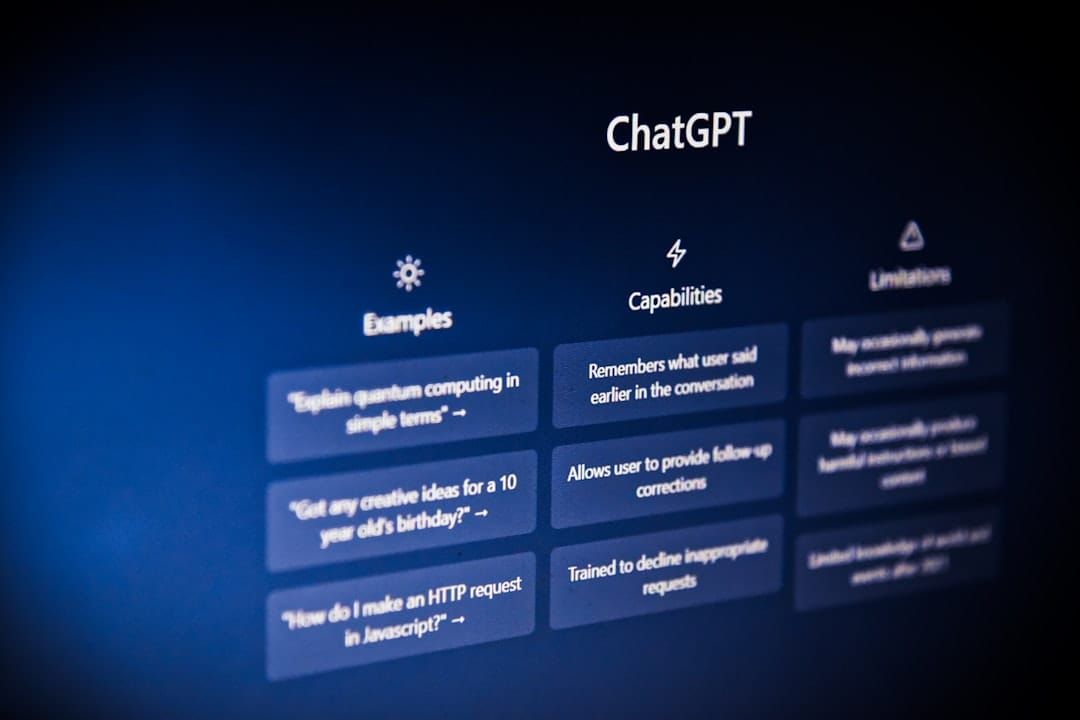
How to Get Started with ChatGPT: Complete 2026 Guide
What is ChatGPT and why use it in 2026
ChatGPT is a conversational assistant developed by OpenAI that relies on advanced language models. It allows generating text, explaining concepts, assisting with writing or even proposing structured ideas. In 2026, this tool has established itself as a resource accessible to everyone, whether you are a student, professional or simply curious.
Users particularly appreciate its ability to adapt to different language levels and various domains. Unlike traditional search engines, ChatGPT provides contextualized responses and can refine its proposals throughout the conversation. This interactivity makes it a daily companion for saving time on repetitive or creative tasks.
Create an account and access ChatGPT
To get started, go to the chat.openai.com website and click on the sign-up button. You can log in with a personal email address or via a Google or Microsoft account. The free version already provides access to a high-performance model, while the paid subscription unlocks additional features such as faster response speed and priority access to the latest models.
Once logged in, take a few minutes to explore the interface. You will see an input field at the bottom of the screen and a conversation history on the left. It is recommended to immediately test a simple first question to understand the pace of the exchanges.
Choosing between the free and paid versions
- Free version: ideal for discovering the tool and performing common tasks.
- Paid version: useful if you need faster responses or intensive professional use.
The Basics of Using ChatGPT
The first rule is to formulate clear and precise questions. The more detailed your request, the more relevant the response will be. For example, instead of asking “tell me about marketing”, you can specify “explain the basics of content marketing for a small e-commerce business in 2026”.
ChatGPT retains the context of the current conversation. You can therefore refine your requests as you go without repeating everything. If the response does not suit you, simply indicate what is missing or what needs to be modified: “can you make this explanation shorter and add a concrete example?”.
It is also possible to request specific formats: bullet list, comparison table, structured outline, or even computer code. This flexibility allows you to quickly adapt the result to your actual needs.
Prompt engineering: how to formulate effective queries
Prompt engineering refers to the art of writing precise instructions to obtain better results. Always start by defining the role that ChatGPT should assume: “you are a patient mathematics teacher” or “you are an experienced web writer”.
Next, provide the necessary context and indicate the expected format. A good prompt often includes three elements: the role, the specific task, and the constraints (length, tone, target audience). Here is a concrete example: “You are a career change advisor. Explain in 300 words the steps to transition from the sales profession to that of data analyst, using an encouraging tone and concrete examples.”
Don't hesitate to iterate. If the first response is not satisfactory, rephrase or add details. This iterative approach is an integral part of the effective use of the tool.
Practical Use Cases for Beginners
Beginners can quickly find value in several areas. In writing, ChatGPT helps structure an article, rephrase a paragraph, or generate title ideas. In learning, it can explain complex concepts with simple analogies or create personalized quizzes.
In a professional setting, many use it to write emails, prepare meetings, or summarize long documents. A common example is to ask: “summarize this text in five key points, emphasizing the actions to take”. Students also use it to review courses or generate essay outlines.
Finally, ChatGPT can assist with creative tasks such as developing a content plan for social media or creating presentation scenarios. However, these uses remain starting points that should always be reviewed and adapted.
Limitations and Best Practices
ChatGPT can sometimes produce inaccurate or outdated information. It is therefore essential to verify important facts with reliable sources before using them. The tool does not replace human expertise, especially in technical or regulated fields.
Respect confidentiality as well. Avoid sharing sensitive personal data, financial information, or professional secrets. OpenAI retains conversations to improve the model, even if deletion options exist.
Finally, maintain a critical mindset. Use the responses as an aid to reflection rather than as absolute truth. This approach will allow you to use the tool responsibly and productively.
Integrate ChatGPT into Your Daily Life
To get the most out of ChatGPT, integrate it gradually into your routines. Start with short daily use: ten minutes in the morning to plan your day or in the evening to summarize your notes.
Create reusable prompts that you can copy-paste and adapt. For example, a template prompt for text proofreading or another for generating project ideas. This habit reduces formulation time and improves result consistency.
Share your discoveries with your professional network or colleagues. Feedback often helps discover new use cases and refine your own methods.
Resources to Go Further
Once you’ve mastered the basics, you can explore the topic in greater depth using OpenAI’s official documentation and online communities. Video tutorials and specialized articles regularly provide updates on new features.
Experiment as well with the plugins and integrations available in the paid version. These extensions let you connect ChatGPT to other tools you already use every day.
Finally, record your most effective prompts in a personal document. This personal library will quickly become a valuable resource for boosting your productivity.
Start today by writing your first detailed prompt and test it in ChatGPT. Note what works and what can be improved, then repeat the process tomorrow with a new concrete task.